What’s New in Xcode 9: Top 5 features to look forward to.
Apple’s WWDC 2017 is just under way, and we already have some great news for developers! What I liked the most in the Platforms State of the Union keynote is the improvements made around Xcode. So I decided to put together my personal top 5 of what I am looking forward to playing with in Xcode 9. Note that the new Xcode editor has been completely re-written from scratch in Swift, which makes it much faster in a lot of areas 🎉
1. Refactoring in Swift 🔨
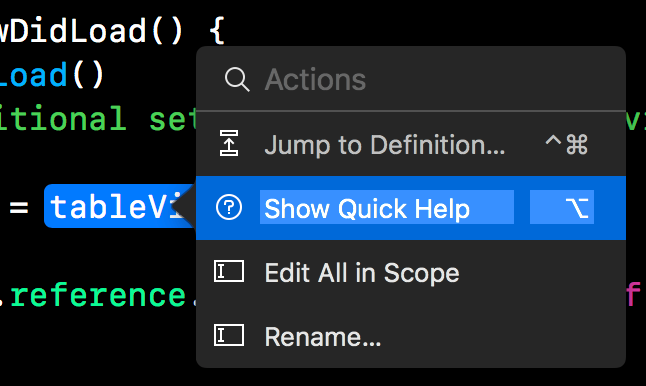
Ahh finally! This is something I was expecting since as long as Swift has been around, and they finally delivered! Gone are the Cmd + Shift + F where you miss out on a few variable rename, or accidentally modify an unrelated one. Gone are the cut + paste + modify to extract methods. We finally have access to those! Although there’s still a long way for Xcode to offer advanced refactoring tools like JetBrains does today, it offers the most common ones like adding code snippets, extracting methods and variables, and global renaming which works with Swift, Objective-C and even Storyboard files. We have to start somewhere right?
2. Smarter Fix its 😌
Another nice improvement of Xcode are the smarter “Fix its”. Remember the time when you implement
UICollectionViewDataSource, CMD + Click on it, and then copy paste the methods that you need from it? Well, with the new Xcode, you can get all of that with a single click!
Other than adding missing protocol requirements, there are “Fix its” for adding missing overrides for abstract methods, adding missing implementation stubs, adding if else statement around an API that is only available in a specific iOS version, and more. This can greatly help your development speed in the long run.

3. Simulator…s! 🔄
🎉🎉! We can now launch multiple simulators, whether iPhones or iPads! I just tried it out, and it looks great. Plus they are fully resizable.

4. Wireless Debugging 📲
Yep, you read right! Wireless testing and debugging for you iOS apps! No need to use this cable anymore. Long have we waited for this day.

5. Source Control 📑
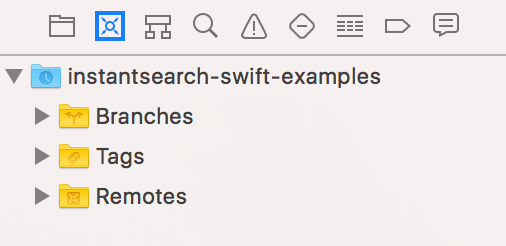
Last but not least, Apple added a great Source Control Navigator right inside Xcode. It presents your working copies, details of branches, file changes etc. You can also do actions such as create branches. As a user of Atom and VSCode, I am happy that Xcode decided to follow a similar path of having some sort of Source Control integration into the editor.
Another cool thing is the partnership with Github! It is fully integrated into Xcode and you can now clone repos, checkout a ReadMe, add stars and more.

Comments
Post a Comment